0-100
Example data
Goal-weighted Winning Score
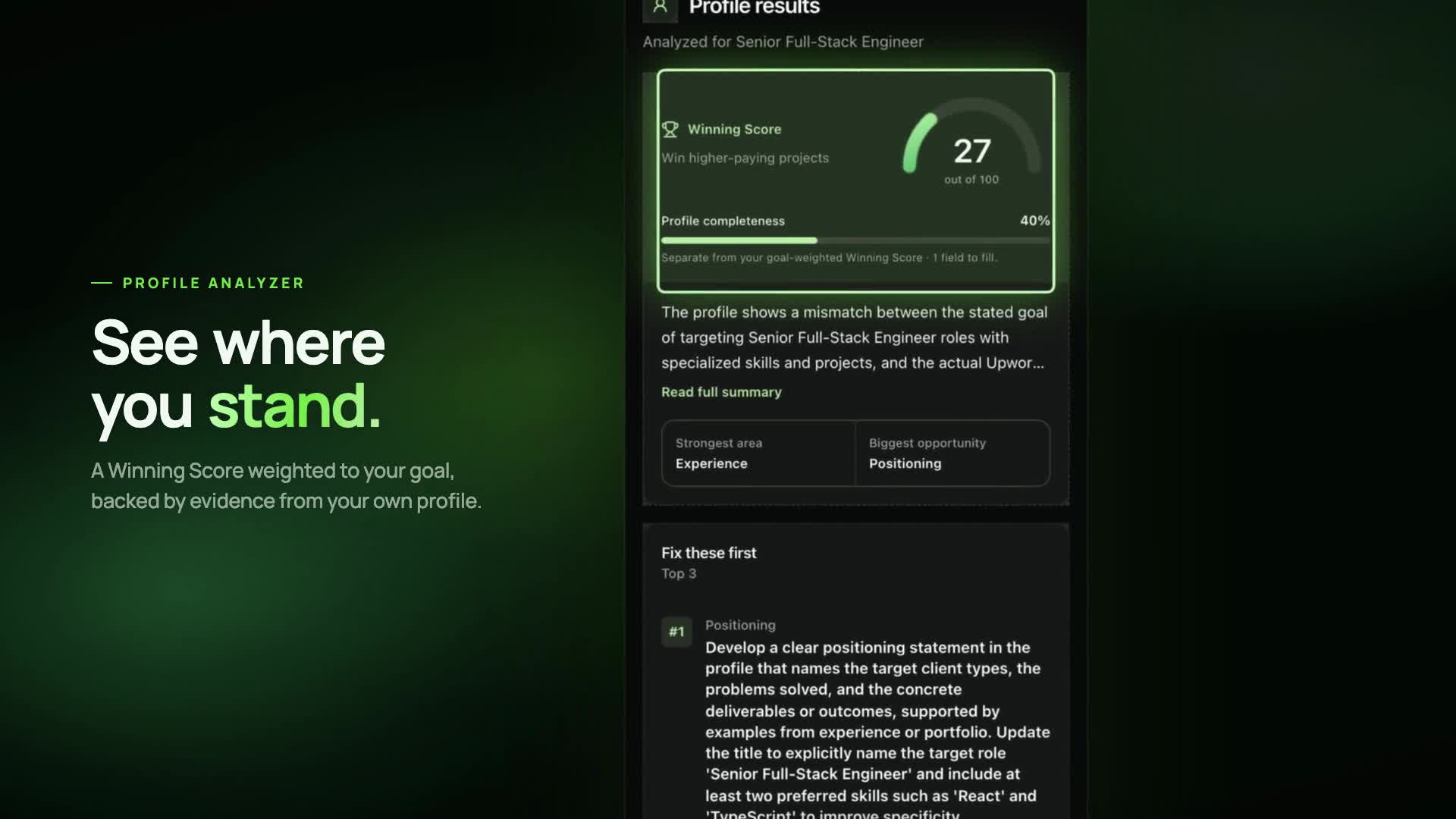
The analyzer separates the signal into criteria, cites the captured evidence, and prioritizes improvements for your goal.
Win more clients.In less time.




Product tour
Set a goal, score your profile against it, copy the rewrite, then check a project’s fit and track every proposal. One run, start to finish.
Capture once, review the evidence, then copy only what helps.
Open the extension on your own Upwork profile and start a one-shot capture.
See criteria scores, evidence, and concrete improvements tied to your active goal.
Choose the suggestions you want. upwin never writes back to an Upwork form.
Dashboard
Your Winning Score, profile analyses, matched projects, and proposal replies sit side by side. See what moved, what stalled, and what to do next, without stitching spreadsheets together.
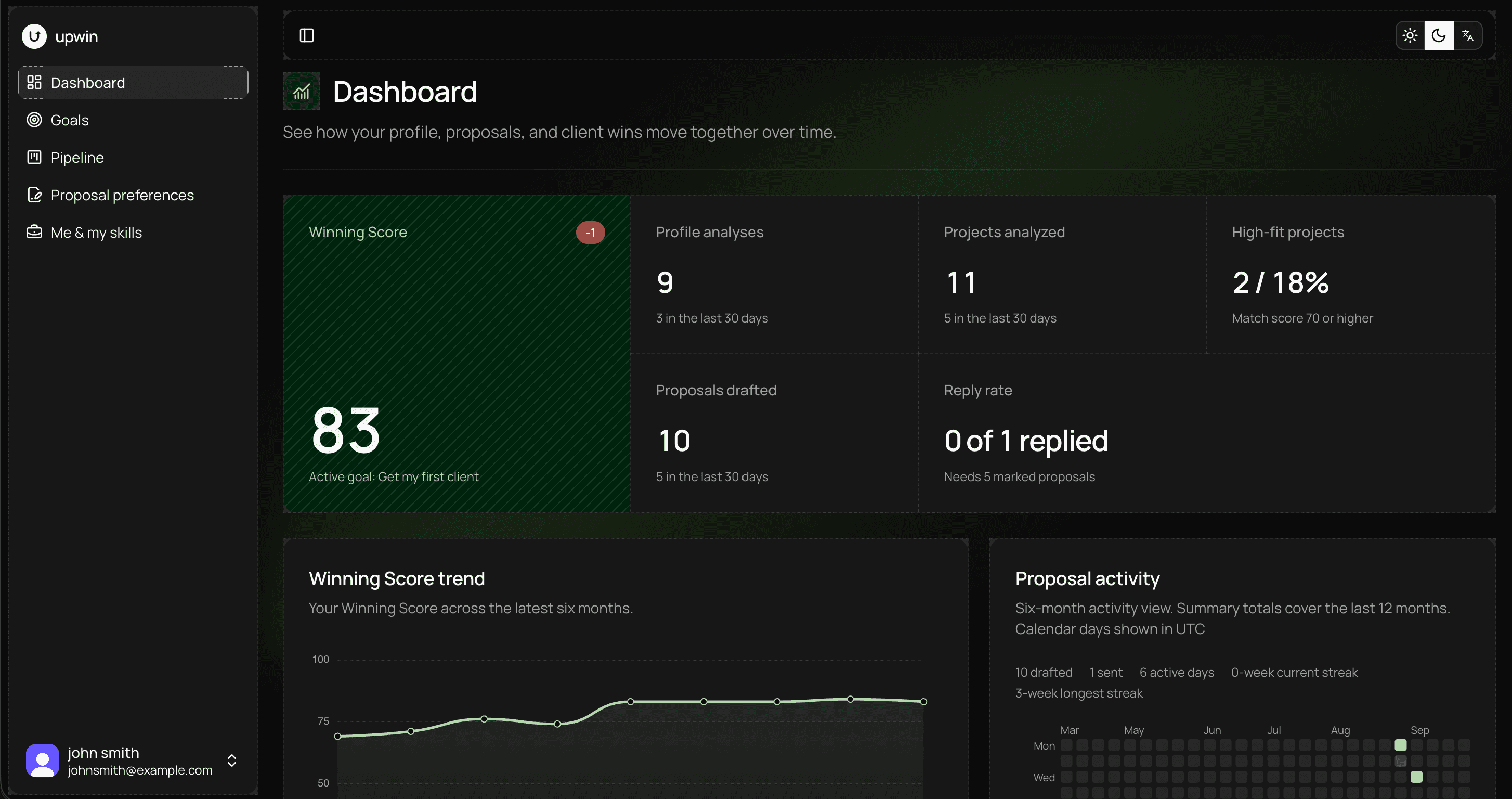
Six months of scores measured against your active goal, so a real improvement stands out from a lucky week.
Drafts, sends, and replies counted together. Reply rate becomes a number you can actually move.
A calendar of your proposal activity, with current and longest streaks to keep the pipeline moving.
Profile Analyzer
The analyzer separates the signal into criteria, cites the captured evidence, and prioritizes improvements for your goal.
0-100
Example dataThe analyzer separates the signal into criteria, cites the captured evidence, and prioritizes improvements for your goal.
Check whether your title and overview make your target work obvious.

Find where portfolio and experience details need stronger evidence.
Compare the skills clients scan for with the skills your profile shows.

Weight the same profile differently when your freelance objective changes.
Proposal Studio reads a captured project brief once, scores the match, and prepares editable blocks grounded in your context.
A match score before you spend connects
A proposal draft you can edit and copy
Screening answers kept separate for review
Insights connect profile scores, proposal activity, and client outcomes without pretending correlation is causation.
Review score movement, activity, funnel counts, and section changes across a bounded history.
Explore insights and trackingAnalyzed
Criteria scores and cited evidence returned for your snapshot.
Move each drafted project through the real outcome you record, from sent to won or no response.
Won, declined, or no response, logged against the draft.
Goal-aware
Choose one active objective. upwin uses it to change emphasis across profile analysis, project fit, and next actions.
upwin analyzes only what you ask it to capture. The extension does not turn your browser into a background crawler.
Read the privacy pageCapture is one-shot and user-initiated. There is no background scraping or polling.
upwin does not crawl other freelancers or navigate through Upwork for you.
The extension does not call Upwork internal APIs or read your cookies.
upwin can copy prepared text. It never submits anything on your behalf.
Free resources
Two in-depth guides for Upwork freelancers, each with a tool that runs in your browser on the text you paste. No sign-up needed.
Browse all guides and articlesFree profile checklist
What clients see first, title formulas, overview structure, skills and portfolio tips, with before and after examples.
Free Connects calculator
What Connects are, how to get them, what a proposal costs, and how to spend fewer by checking fit before you send.
Start with one analysis and three drafts each month, then move to Pro when you need more volume.
Pro is $10 monthly or $96 yearly. Both plans reset allowances each UTC month.
Free and Pro
Free
$0
1 profile analysis / month
3 proposal drafts / month
Pro
$10 / month
20 profile analyses / month
100 proposal drafts / month
The short version of how upwin works, what it reads, and what remains under your control.
No. It analyzes a typed snapshot and gives you suggestions to review and copy yourself.
See the analyzerNo. It can score a project's fit and prepare proposal text, but you decide what to send.
See proposal draftingNo. Every capture is a one-shot action that you start on the current page.
Read the boundariesYes. Your active goal changes how analysis criteria are weighted and prioritized.
Compare plansThe resources hub links to the free guides, tools and blog, plus product details, pricing, and the contact page.
Open contactCreate your account, set a goal, then run your first user-initiated profile capture.
Create your account